
WordPress Plugin
Slug-Free Permalinks
A WordPress plugin that reduces the friction of slug management. It switches selected post types and taxonomies to ID-based URLs so multilingual or Japanese-heavy URLs stay simpler and more stable.
WHY
When it is a good fit
You do not want to think about slugs every time
Reduce the work of choosing and maintaining slugs whenever you publish posts or add categories and tags.
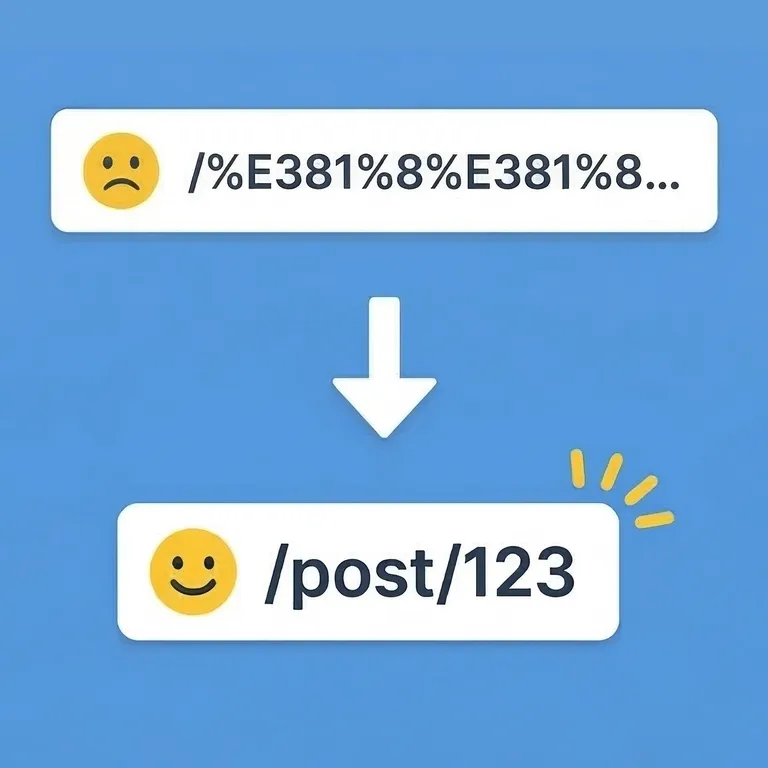
You want shorter URLs for multilingual content
Avoid long encoded URLs and switch to stable ID-based URLs that stay readable even when titles change.
You want titles and URLs to be separate
Later title or slug edits are less likely to force URL changes.
FEATURES
Simplify URL management
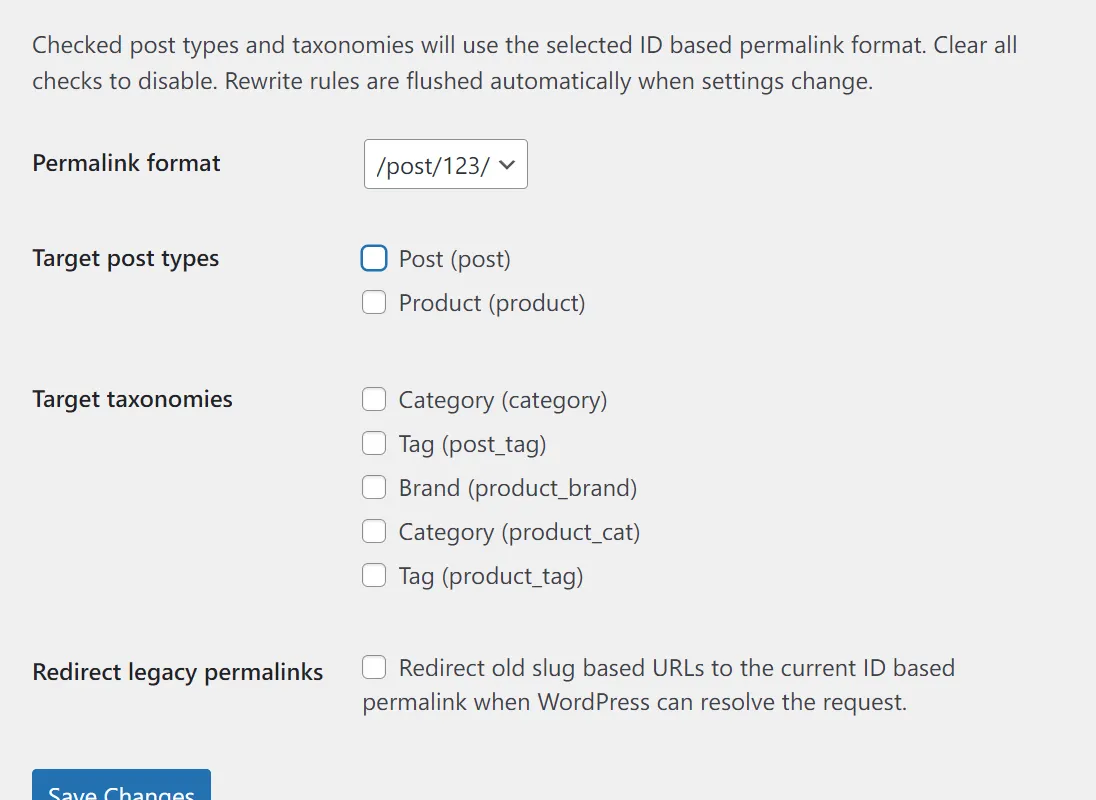
Choose post types individually
You can target only the post types you need, including custom post types.
Choose taxonomies individually
Categories and custom taxonomies can also be switched one by one.
Two URL formats
Choose either `/post/123/` or `/post-123/`.
Optional redirects from old slug URLs
When needed, old slug URLs can be redirected to the new ID-based URLs with 301 redirects.
Keeps language and path prefixes
Prefixes added by plugins such as Polylang, including `/en/`, can stay in place.
Refreshes permalink settings on save
Permalink settings are refreshed when the plugin settings are saved.
SCREENSHOT
Choose targets from one settings screen
COMPATIBILITY
Compatibility
Latest stable release
The current public release is `1.7.0`.
WordPress
Works on WordPress 5.8 or later and is tested up to WordPress 7.1.
PHP
Works on PHP 7.4 or later.
INSTALLATION
Installation
- Open `Plugins > Add New` in your WordPress admin.
- Search for `Slug-Free Permalinks`.
- Click `Install Now`, then activate the plugin.
- Open `Settings > Slug-Free Permalinks` and choose post types, taxonomies, and the URL format you want.
For manual installation, download the latest ZIP from GitHub and upload it from `Plugins > Add New > Upload Plugin` in your WordPress admin.
FAQ
Common questions
Does this change every post type automatically?
No. Only the public post types you explicitly check in the settings screen are affected.
Does it support pages?
No. Pages are intentionally excluded because many WordPress sites already rely on custom page URL structures, and removing slugs there can cause collisions, especially with pagination such as `/page/2/`.
Does it support taxonomies too?
Yes. Public taxonomies can also be switched to ID-based URLs when you select them in the settings.
Will it redirect every old URL?
No. Redirects are handled only when WordPress can already resolve the target content.
Why not search by slug on every 404?
Because that approach can create unnecessary database queries, especially on sites with heavy bot traffic. The plugin avoids adding that overhead on each 404.
Can it work with language directory URLs such as `/en/`?
Yes. The ID-based URL is generated from the site home, and language-directory plugins can add their prefixes on top of that path.
Can a post type and taxonomy share the same slug?
Post types or taxonomies with the same registered rewrite slug cannot be selected together. The settings screen rejects conflicting selections so the ID-based route stays unambiguous.
NOTES
Notes
- If a post type and taxonomy share the same name, URL routing can collide.
- If your site already has many published pages and wide slug-based URL usage, review backlinks, search traffic, social shares, and editorial workflow before adoption.
CHANGELOG
Recent changes
1.7.0
- Improve target selection and guidance on the settings screen.
- Refine ID-based URL handling for Polylang language paths.
1.6.0
- Add deactivation guidance and a copyable permalink structure to preserve regular post ID URLs.
- Reduce rewrite checks and permalink processing overhead.
1.5.1
- Update compatibility metadata for WordPress 7.1.
- Improve CI and distribution validation.
LINKS
Related links
- WordPress.orgDistribution page, supported versions, and reviews.
- GitHubSource code, releases, and development status.
- Background articleAn article about why I built it and how I approached the design.
- ContactUse this for feedback or usage-related questions.