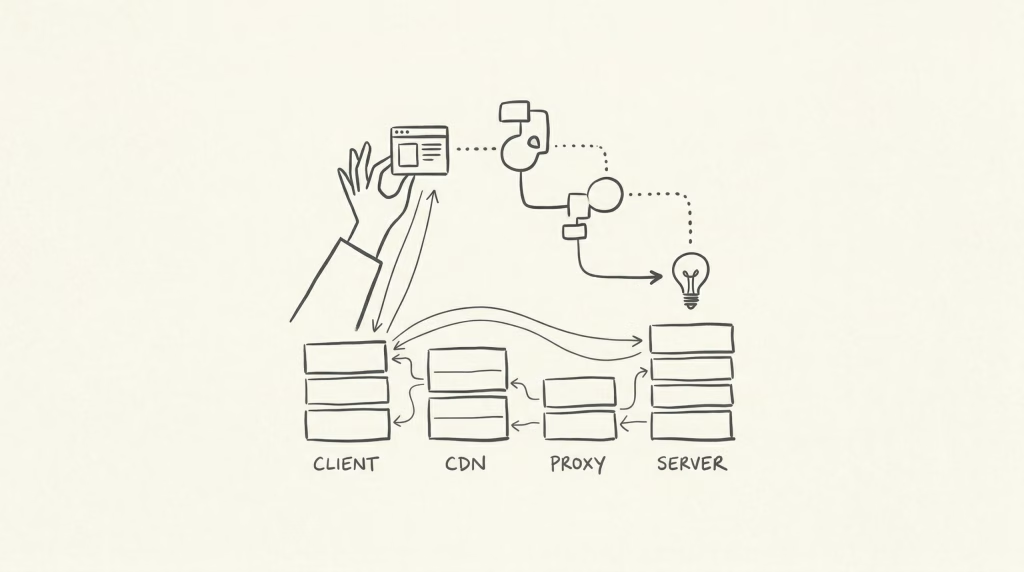
Whenever we talk about "making a site faster," the word "cache" is the first thing that comes up. But have you noticed how easily team communications break down because of this single word?
When a frontend dev says "I cleared the cache," they're probably talking about the browser. An infra person might mean the CDN (Edge), and a backend dev could be referring to Redis or database query results.
If you don't align on these "layers," you'll end up purging the wrong things, or worse, staring at a site that won't update while screaming "But I cleared the cache!"
In this article, I'll organize caching by "distance from the user" (layers) and explain their roles and—most importantly—how to purge them correctly.
Caching at a Glance: The 5 Layers
The core idea is simple: "Store the result of a heavy process closer to the user to reuse it later." Generally, the closer it is to the user, the faster it feels.
- Browser Cache(Client Side)
- Edge Cache(CDN)
- Rendering Cache(SSG/SSR)
- Framework Cache(Application)
- Data Cache(Database/Object)
Let's dive into each layer.
1. Browser Cache(Client Side)
Stored directly in the user's browser. This is as close as it gets.
- Implementation: Set HTTP headers like
Cache-ControlorExpireson the server (Nginx, etc.). - Pros: Fastest possible response since the request might not even leave the device.
- Cons: Once it's in the browser, you can't easily "force" a clear from the server.
- How to Clear: Use Cache Busting. Attach a hash to the filename (e.g.,
style.css?v=1.2) so the browser sees it as a brand-new file and downloads it again.
2. Edge Cache(CDN)
Content is stored on edge servers (like Cloudflare) to be served on behalf of your main server.
- Implementation: Routed through services like Cloudflare or AWS CloudFront.
- Pros: Offloads massive weight from your origin server and serves users from the nearest global node.
- Cons: If your TTL (Time-to-Live) is too long, stale content can linger for hours across the globe.
- How to Clear: Use the Purge API or dashboard to explicitly discard the data from the edge network.
3. Rendering Cache(SSG/SSR)
Deciding "when and where to build the HTML." This is the heart of modern web architecture.
- SSG(Static Site Generation): Pre-building HTML during the build process (Next.js, Hugo).
- SSR(Server Side Rendering): Generating HTML on request and caching it on the server (Nginx FastCGI cache, etc.) for a set duration.
- Pros: Handles dynamic content while staying incredibly fast.
- How to Clear: For SSG, re-build and re-deploy. For page caches, delete the cache files on the server.
4. Framework Cache(Application)
Optimization at the code execution level.
- Opcode Cache: Keeping compiled code (like PHP bytecode) in memory.
- Config Cache: Serializing configuration or routes in frameworks like Laravel to skip redundant parsing on every request.
- Pros: Directly boosts the execution speed of your application logic.
- How to Clear: Usually via CLI commands (e.g.,
php artisan config:cache) or by restarting the service.
5. Data Cache(Database/Object)
Storing DB query results or complex logic outputs in memory.
- Implementation: Using in-memory stores like Redis or Memcached.
- Pros: Eliminates database bottlenecks by cutting down on heavy SQL queries.
- Cons: If the logic is buggy and stale data hangs around, you end up with inconsistent numbers (like stock counts).
- How to Clear: Flush specific keys or set short TTLs from the start.
Layer Comparison: Where to focus?
| Layer | Performance Boost | Difficulty | Invalidation | Example |
|---|---|---|---|---|
| 1. Browser | Massive | Low | Low (User-driven) | Cache-Control |
| 2. Edge | High | Medium | Medium (Purge) | Cloudflare |
| 3. Rendering | High | Med~High | Medium (Re-build) | Next.js, Nginx |
| 4. Framework | Medium | High | High (Commands) | Laravel, OPcache |
| 5. Data | Medium | High | High (Key removal) | Redis |
Practical Tip: The "Double Cache" Trap
The most common source of "It's not updating!" frustration is the layered cache trap.
For example, if you have both Edge Cache (CDN) and Browser Cache set aggressively. Even if you purge the CDN, the user's browser might still be holding onto the old asset.
When something isn't reflecting, always work your way back from the user to the server to see exactly where the "old data" is hiding.
Saving "Cache" to Save "Cash"
Caching isn't just about "speed." It's one of the strongest weapons for Business Cost Optimization.
- Lower Server Costs: Offloading requests to a cache means you can run a stable site on lower-spec (and cheaper) servers.
- Bandwidth Savings: CDNs minimize the data leaving your origin. If you're on a pay-per-bandwidth plan, this is an instant boost to your bottom line.
- Infrastructure Safety: During traffic spikes, a healthy cache layer is often the only thing standing between your server and a total crash.
- SEO & UX: Response speed (Core Web Vitals) is a core pillar of search rankings.
In short, "Mastering technical Cache is the smartest way to keep more business Cash in your pocket."
Just look at the numbers.
Summary: Designing for the Invalidation
There's a famous quote in computer science:
"There are only two hard things in Computer Science: cache invalidation and naming things."
—— Phil Karlton
"Setting up a cache" is the easy part. The real challenge is "designing it so you can clear it correctly at any time." As you build your system, don't just aim for speed—aim for control.






Comments